KDP book builder: create your Amazon KDP book, page by page
kdpbook.io builds your Amazon KDP book with you, page by page. Start from your own manuscript or from an idea, change any page by hand, and the builder applies KDP’s print rules for you: the trim size, a gutter of 0.375 in to 0.875 in by page count, 0.125 in of bleed, a spine sized from the page count and a clear barcode area. A KDP check runs before you export.
2,000 free credits · no card required
By kdpbook.io editorialPublished ✓ Checked against KDP Help on
KDP’s print rules, applied for you
You pick the trim size, paperback or hardcover, and the ink and paper, among the options KDP prints for your kind of book. KDP’s numbers follow from those choices and from the page count, and the builder applies them to every page and to the cover:
| What the builder does | KDP number |
|---|---|
| Inside margin grows with page count | 0.375 → 0.875 in |
| Bleed added when art touches the edge | +0.125 in |
| Spine width from paper and page count | 0.0025 in / page, cream |
| Page limits for each ink and paper | Standard color 72–600 |
| Spine text only when the spine can hold it | 80+ pages |
| Barcode area kept clear on the back cover | 2 × 1.2 in |
| Print-grade files, Kindle layout matched to the book | 300 DPI · fixed or reflowable |
The gutter is KDP’s: 0.375 in up to 150 pages, 0.5 in for 151–300 pages, 0.625 in for 301–500 pages, 0.75 in for 501–700 pages and 0.875 in for 701–828 pages. Top, bottom and outside margins, bleed and the cover size follow the same way (KDP Help, Paperback Submission Guidelines and Create a Paperback Cover, checked September 28, 2026). Add a chapter or change the paper, and the margins, the spine and the full-wrap cover are worked out again. To check a number yourself, the free margins and bleed calculator and cover size calculator need no account.
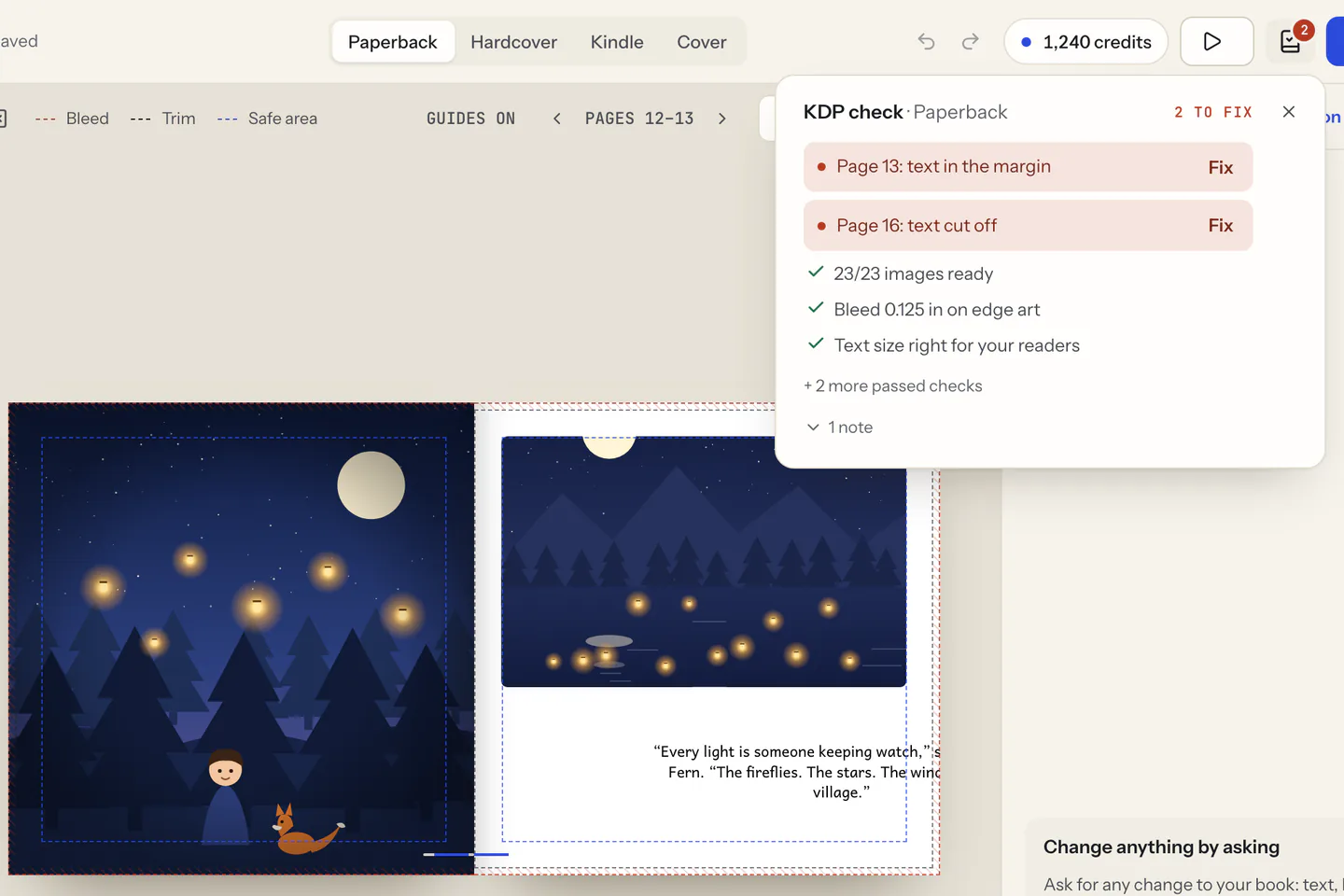
A KDP check before you export
The KDP check runs while you edit, for the edition on screen (paperback, hardcover or Kindle eBook), and shows a green check, a count of warnings or a count of errors. It looks at:
- the page count, within KDP’s limits for your binding, ink and paper;
- text inside the margins, not cut off, and at least KDP’s minimum size;
- pictures at print resolution (KDP recommends 300 DPI), and bleed set up when art reaches the edge of the page;
- the cover: a title and an author that match the listing, and spine text only when the book is thick enough;
- the listing: title, description, 7 keywords, categories and the AI disclosure.
Each problem says what is wrong and, on a page, which page, with a one-click fix when there is one. If KDP sends feedback after you upload, paste its message into the Book assistant: it lists each point, fixes what it can in the book as one step you can undo, and tells you when the fix is a setting to change in KDP instead. The free KDP rejection decoder explains the same messages without an account.
Start from your manuscript, or from an idea
From your manuscript. Upload a Word (.docx or .doc), PDF, Markdown (.md) or plain text (.txt) file, or paste the text. Your words are used as written: kdpbook.io finds the chapters from your headings and lays the text out, without rewriting, dropping or adding a word. AI reads it to plan the book, drafts the back-cover text and the listing, which you can rewrite, and paints the cover art. More on that in KDP formatting for your manuscript.
From an idea. Describe the book in a sentence, or set every detail yourself in the steps, and the AI writes it, illustrates it in one of 40 styles when the book has pictures, and designs the cover. There are 36 book types, from picture books and coloring books to novels, journals and puzzle books.
Both paths end in the same editor, where every page stays yours to change.
Every page stays editable
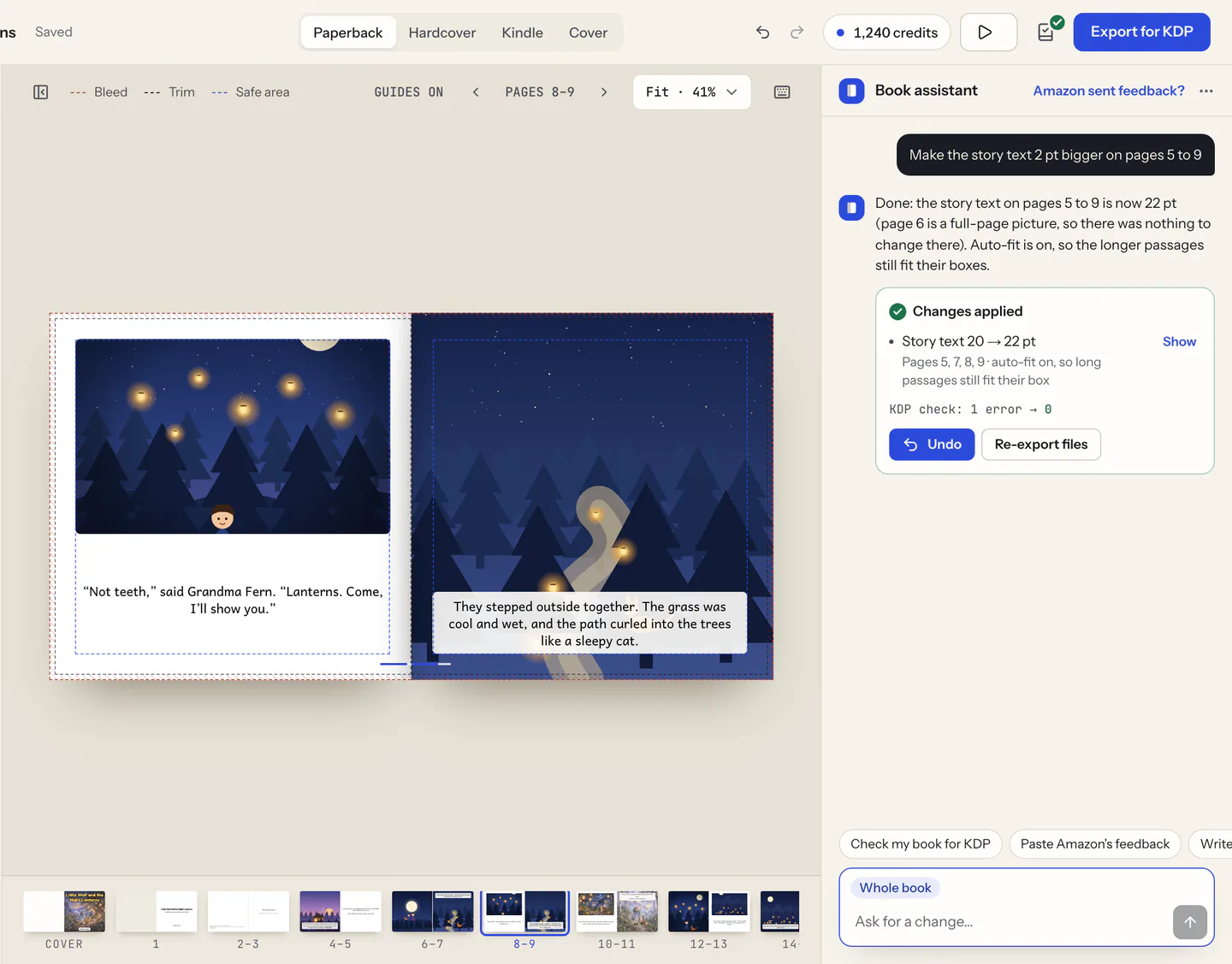
The editor shows the book as it will print, page by page, with a live preview, undo and redo. The screenshots on this page show it on a sample picture book.
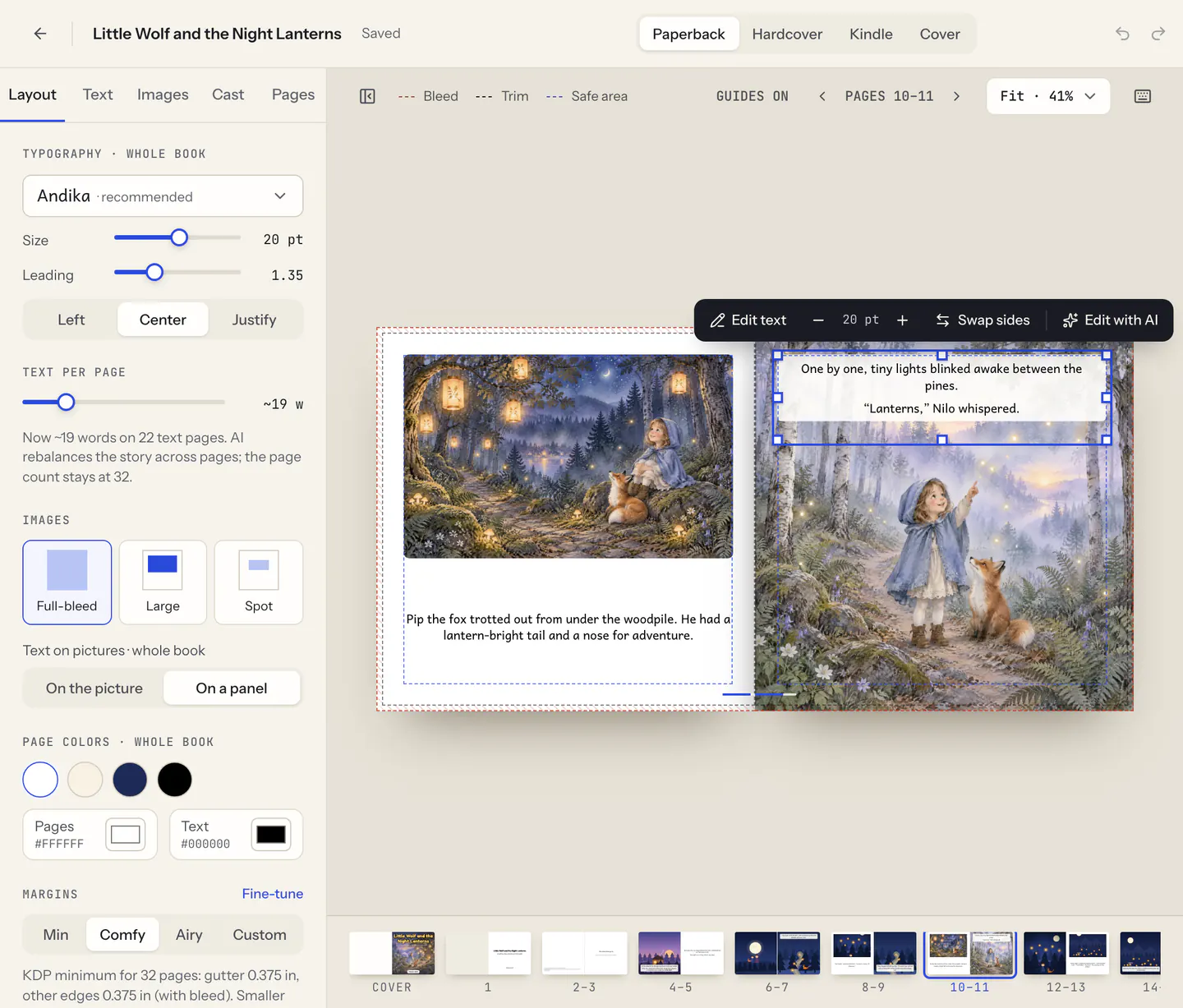
- Pages. Edit text in place and change the font, size and alignment of a paragraph or of the whole book. On fixed-layout pages (picture book and comic pages, activity and coloring pages, the title page), drag and resize text boxes and pictures with snapping.
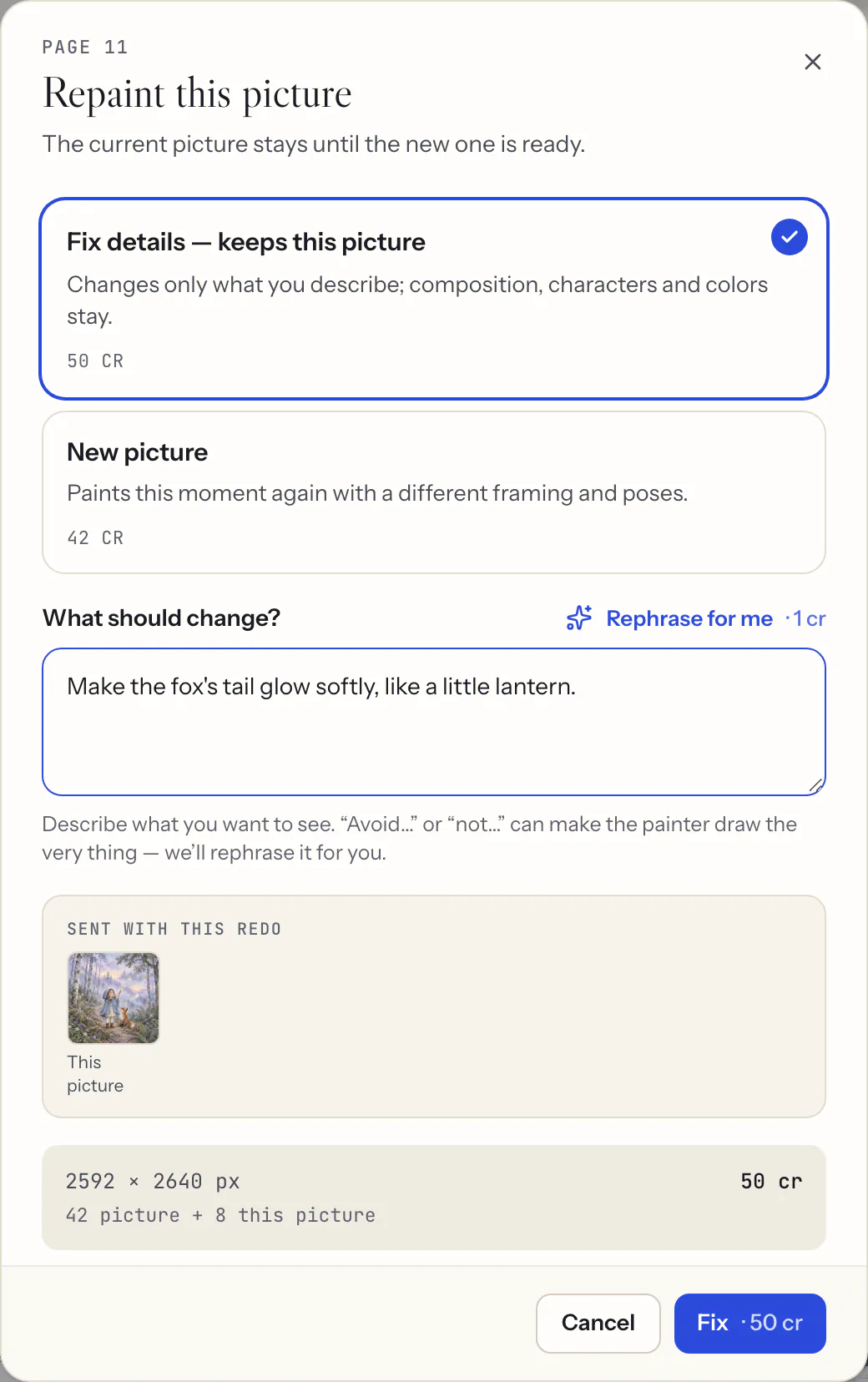
- Pictures. Replace a picture with your own (PNG, JPEG or WebP), or repaint it: “Fix details” keeps the picture and changes only what you describe, “New picture” paints the moment again in another framing.
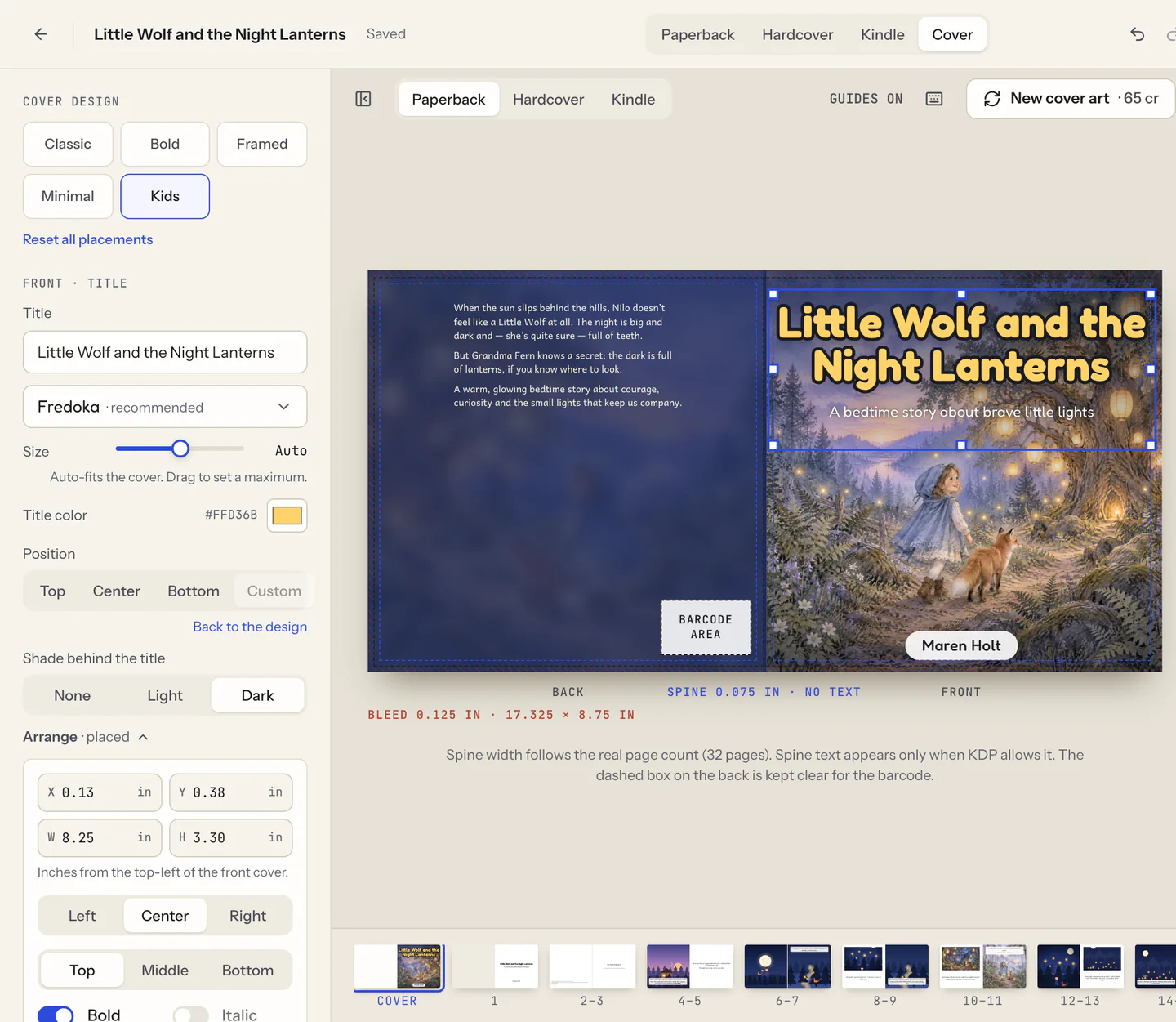
- Cover. Drag the title, subtitle, author and back-cover text, nudge them with the arrow keys or type their position in inches. They snap to the cover and to each other, stay inside KDP’s safe area and clear of the barcode area, and each side takes up to 6 extra texts, such as a tagline or a series name. The AI book cover creator for KDP explains how the wrap is sized.
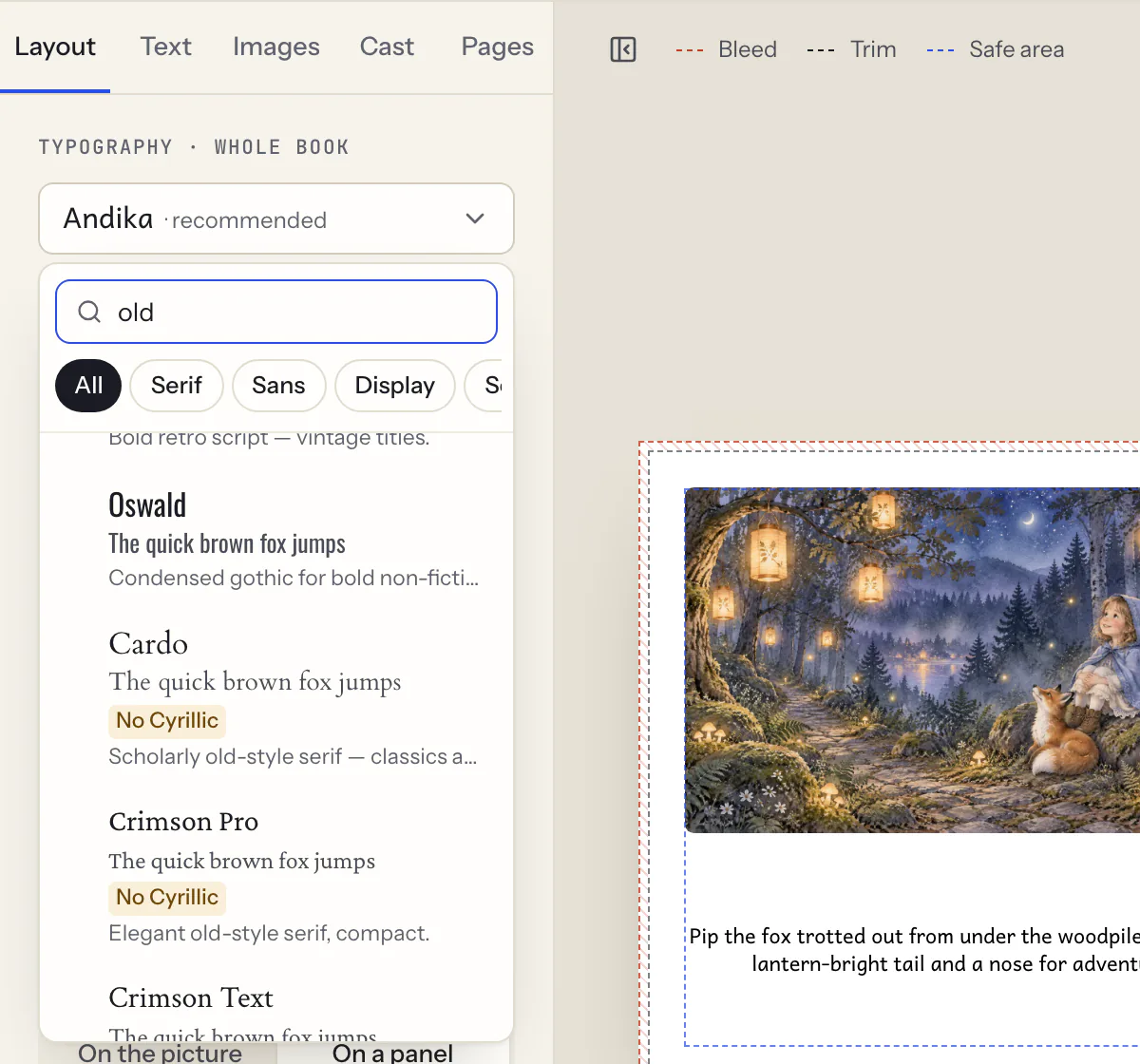
- Fonts. 108 book fonts with a search and a badge on fonts that lack your book’s letters, or your own: upload TTF, OTF, WOFF or WOFF2 files once you confirm your license allows embedding them.
- Book assistant. Ask for a change in plain words and it edits the book; what it changed is one step you can undo.
Editing text, fonts and layout by hand costs no credits. AI rewrites, repaints and Book assistant messages use credits, and the editor shows their price.
What you get, and what you do on KDP
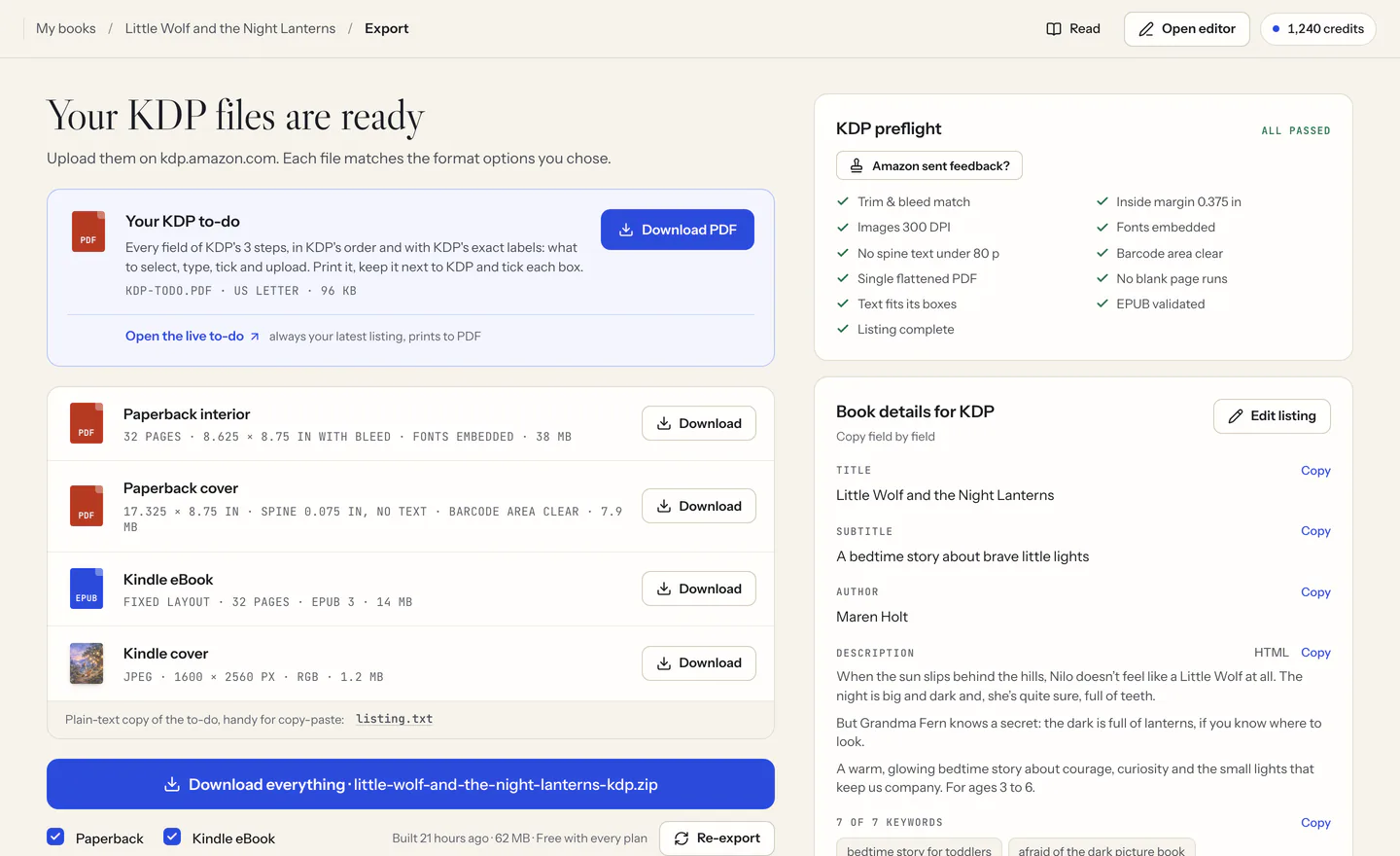
- The print interior PDF, inside KDP’s margins, with its fonts in the file.
- The full-wrap cover PDF: back, spine and front, with the spine sized from the final page count.
- A Kindle EPUB (reflowable for text books, fixed layout for picture books and comics) with its 1,600 × 2,560 px cover. Coloring, puzzle, activity, journal and notebook books are print only.
- The KDP listing sheet: title, description, 7 keywords, categories and the AI-disclosure answers.
kdpbook.io doesn’t upload anything to KDP or publish for you. You create the title in your own KDP account, upload the files, copy the listing, and KDP reviews the book. kdpbook.io is independent and not affiliated with Amazon. It isn’t KDP Builder (kdpbuilder.com) either, a separate tool: kdpbook.io vs KDP Builder sets out how the two differ.
What a book costs
Every book gets a credit estimate before launch, and only what is produced is charged. Two books at the default settings:
| Book | Credits |
|---|---|
| A novel of 80,000 words imported from your manuscript, 156 pages at the default 5.5 × 8.5 in trim | 875 (about $9) |
| A 32-page picture book from an idea, with 14 illustrations | 1,624 (about $16) |
Exports and the KDP listing sheet are included. New accounts get 2,000 free credits once, with no card required. Free-plan books carry a kdpbook.io preview watermark and are shared in the community; a paid plan, from $25/month, exports clean files with a commercial license to sell them. A book made on the free credits can be exported again, clean, after upgrading. See plans and credit packs.
Questions
Can I create a KDP book without AI?
Your manuscript, yes: import it and kdpbook.io uses it word for word. It splits the text into chapters or pages and lays it out, without rewriting, dropping or adding a word. KDP’s trim, margin, bleed and spine rules are applied in code, and editing text, fonts and layout by hand costs no credits. AI does the rest: it reads the manuscript to plan the book, drafts the back-cover text and the listing (you can rewrite both), and paints the front cover art, plus the pictures of an illustrated book unless you replace them with your own. Declare those AI images to KDP when you publish (KDP Help, Content Guidelines, checked September 28, 2026).
Which manuscript formats can I import?
Word (.docx or .doc), PDF, Markdown (.md) or plain text (.txt) files of up to 4 MB, or pasted text. EPUB, Pages and ODT files can’t be imported: save them as .docx first. Your words stay as written, laid out as a KDP paperback or hardcover interior and a Kindle eBook (reflowable for text books, fixed layout for picture books and comics).
Does kdpbook.io check KDP’s rules before export?
Yes. A KDP check runs while you edit, for the paperback, the hardcover and the Kindle eBook: the page count limits, text inside the margins and at KDP’s minimum size, image resolution, bleed, the cover title and author, spine text and the listing. Each problem shows what is wrong and, on a page, which page, with a one-click fix when there is one. KDP still reviews every book itself, so no tool can promise approval.
Can I move the title on the cover?
Yes. Drag the title, subtitle, author or back-cover text, nudge it with the arrow keys, or type its X and Y position in inches. Texts snap to the cover and to each other, and stay inside KDP’s safe area and clear of the barcode area on the back. Each side of the cover takes up to 6 extra texts, such as a tagline or a series name.
Can I use my own fonts?
Yes. Pick one of 108 book fonts, with a search and a badge on any font that lacks your book’s letters, or upload your own family: up to 6 TTF, OTF, WOFF or WOFF2 files (regular, italic, bold…). You confirm that your license allows embedding it in books you sell, and fonts whose license forbids embedding are refused. Catalog fonts and TrueType uploads are embedded in the print PDF; an upload with PostScript (CFF) outlines, usually an .otf file, prints its letters as shapes, which KDP accepts.
Does kdpbook.io upload my book to KDP?
No. You download the files and publish them from your own KDP account: the interior PDF, the full-wrap cover PDF, the Kindle EPUB with its cover, and a listing sheet to copy into KDP’s forms. kdpbook.io is independent and not affiliated with Amazon, and KDP reviews every book itself.